


Video Calls
Video calling has become pervasive and can be a boon to many older adults. They are a way to make deeper connections with friends and loved ones, like grandchildren who might not be local. Many older adults may want to learn how to make a video call so they can see and speak with their loved ones.
As a team, be sure someone on the team understand how to complete video calling on different operating systems:
- Apple: FaceTime
- Android: Built-in video calling or using Google Meet
- Microsoft: Microsoft Teams
There are additional apps that support video calling, like WhatsApp and Zoom. People with relatives or friends overseas can actually make free video calls using an app like WhatsApp.
They all basically work the same way. Some of the options for video calls include.
- You can turn the camera on or off, but why would you do a video call if you didn't want to see and be seen?
- You can turn the microphone on and off (mute).
- You can add multiple people to a call. You may want to practice one-to-one calls, but some people might have relatives that can add them to a call and all they need to do is answer,
You do have to be cautious about setting up video call sessions with older adults. Consider the implications of participants having your phone number and talk to your teacher/coordinator about the best way to manage this. Is there an adult with a phone that can be used instead of your personal phone? Could you have two older adults practicing a video call with each other?
If participants don't know how to video call, a great idea is to prearrange a call to someone they care about for the next session. Once the senior sees a loved one's face, the benefits of video calls become crystal clear. It can help dissipate any discomfort with using the technology.
You can also schedule a private tutoring session and let them learn to call them by actually calling them. This is where you may want to put some distance between yourselves in a large room or situate yourself in different but close rooms. Try to maintain a line of sight in case you need to get up and provide help. Again, teenagers should be cautious about using their own phones for this type of activity.
Using Facetime
Facetime is Apple's video calling application. Check out these resources for tips on making the most out of Facetime.
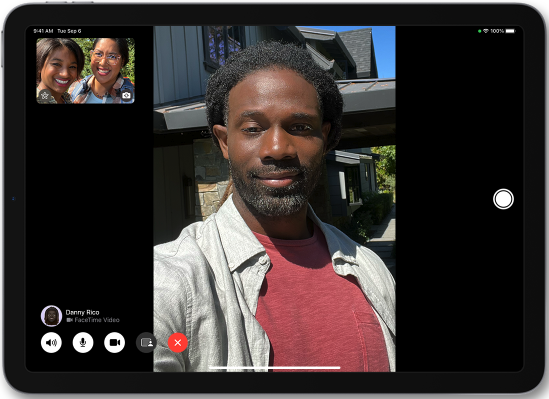

Use FaceTime with your iPhone or iPad
from Apple Support
Making FaceTime Calls
iPhone Tips for Seniors 4 from Rich Bowlin