


Objective 3: Web Conferencing
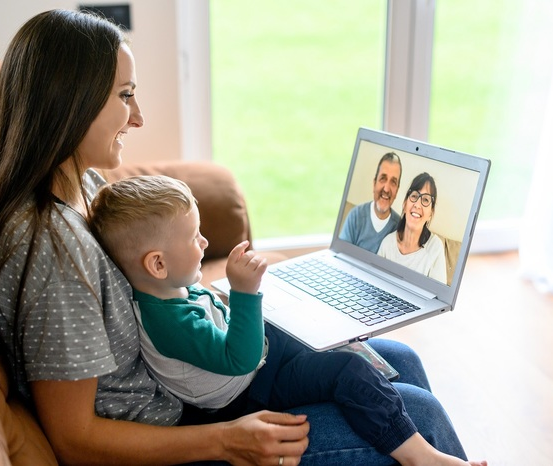
Web conferencing is digital communication tool that allows two or more people to have a live conversation with audio, video and other features in real-time.
For the older adults you'll work with, one of the main joys of web (video) conferencing is going to be the ability to see and hear loved ones no matter where they are in the world. They can participate in family gatherings, birthdays, or even weddings that they might not be able to attend otherwise. They can also web conference with medical and other professionals, if available. Telemedicine sessions conducted through web conferencing are becoming widely available.
Web conferencing can be set up between two people or between many people who all connect from a different location. Helping older adults understand how to use web conferencing to join webinars can expand their opportunities to formal and informal learning. They can join sessions hosted by groups they are interested in or learn more about a particular topic, like financial planning for later life. They might even be able to take an online class and earn a degree or a certificate!
Web conferencing is supported by smartphones, tablets, or computers. The device needs a camera and a microphone. Just like video calls, participants can toggle the camera and microphone on and off. An Internet connection should be stable for web conferencing. Encourage your participants to use a known, secure WiFi connection whenever possible, especially if they're discussing private matters or sharing sensitive information. Public WiFi connections, like those provided by restaurants or stores, are not secure and should not be use for things like online banking
If you do not have a stable Internet connection the media may freeze, drop, or have poor audio/video quality. If this happens, encourage your participants to move closer to the router so they will have a stronger signal. In extreme cases, they can try turning off their video, but that defeats much of the purpose of using the technology.
Encourage your participants to place the phone or tablet on a stable surface. This will help make the quality better and the video won't jump around. Avoid holding your device in your hand during a web conference whenever possible. Try to help them get the device closer to eye level to avoid a video picture of just the top of their head or looking up at their neck and chin.
Their face should be well-lit, ideally from a natural light source. That means put the brightest light source in front of them—or at a 45-degree angle to their face. Do not sit in front of a window or other light source. Show them how the light coming from the wrong direction can make it almost impossible to see your face.
Remember that some of your participants may not be able to use their devices as well as you do. In fact, some probably just know how to make a phone call or answer email.